 Smart Home Forge
Do You Need a Smart Home Hub? When to Use One and When to Skip It
Find out whether you need a smart home hub in 2026, when Wi-Fi or Matter is enough, and when Zigbee, Z-Wave, Thread, or local automations require extra hardware.
Most beginners do not need a dedicated smart home hub. If you are starting fresh in 2026, you can build a capable setup with Wi-Fi devices, a smart speaker, and Matter-compatible products — no hub required.
But “most” is not “all.” Some setups genuinely benefit from a hub, and skipping one when you need it leads to frustration. This guide helps you figure out which camp you fall into.
What a Smart Home Hub Actually Does
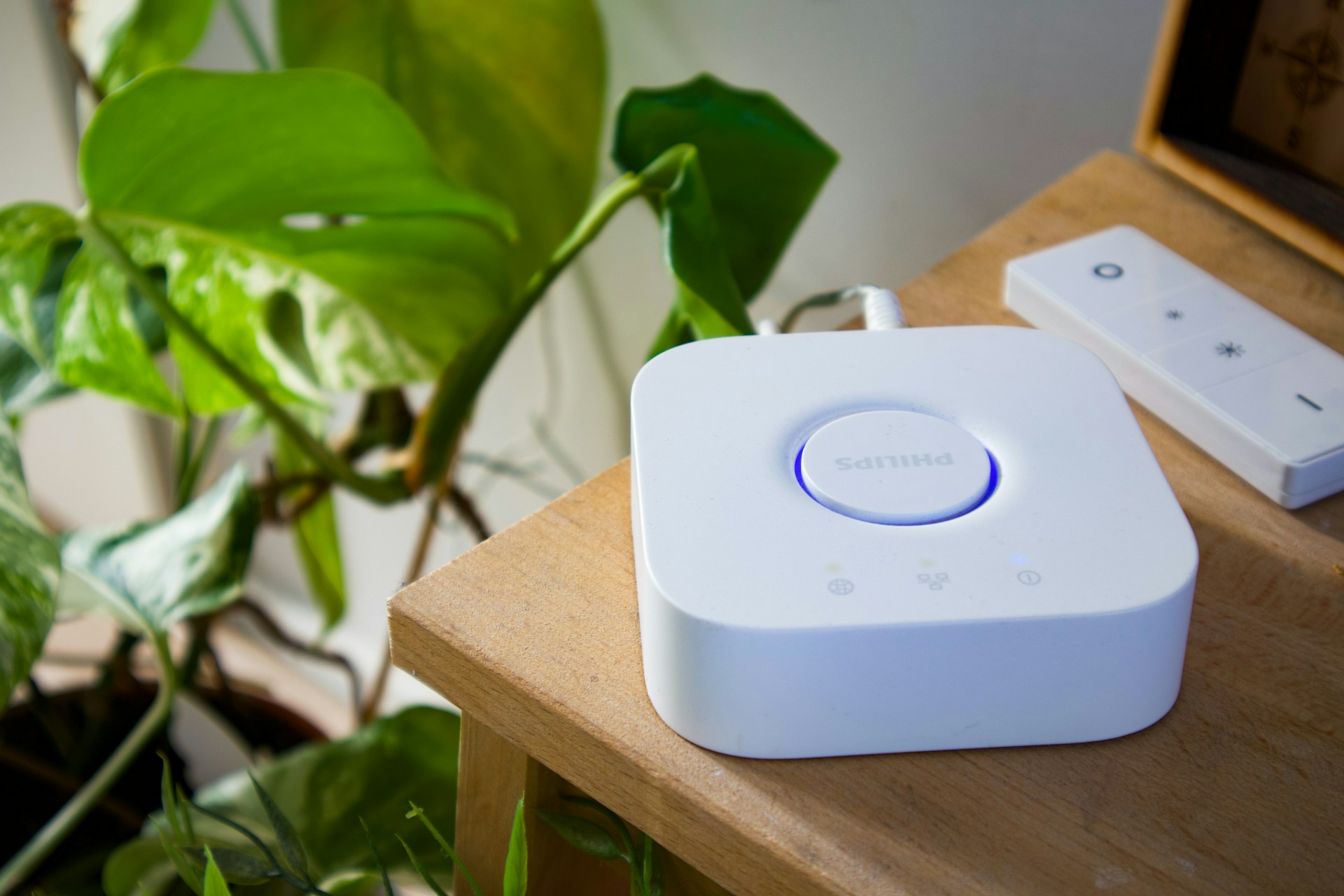
A hub is a device that sits between your smart home gadgets and your network. It serves two main purposes:
- Protocol translation — Zigbee and Z-Wave devices cannot talk to your Wi-Fi router directly. A hub speaks their language and bridges them to your network.
- Local processing — Some hubs run automations locally, so your lights still respond even if your internet goes down.
Smart speakers like an Amazon Echo or Google Nest also act as controllers, but they are not the same as a dedicated hub. A speaker gives you voice control and basic routines. A hub connects to device protocols your speaker cannot reach on its own.
For a deeper look at how these protocols work, see our guide to smart home protocols.
Hub, Bridge, Controller, Border Router: What Is the Difference?
In 2026, “hub” is often used as a catch-all term for several different things. The distinction matters once you start mixing devices, so it is worth a quick clarification:
- Smart speaker / app controller — Alexa, Google Home, or Apple Home running on a speaker, display, or phone. Handles voice commands, routines, and the user interface for your smart home.
- Matter controller — The piece of software or hardware that commissions and controls Matter devices. Built into Apple Home, Google Home, Alexa, SmartThings, and Home Assistant on supported hardware.
- Thread Border Router — Bridges your Thread mesh network to Wi-Fi or Ethernet. Required for Matter-over-Thread devices to reach the rest of your network. Built into many newer Echo, eero, Apple TV, HomePod, and dedicated hub products.
- Zigbee or Z-Wave hub (or bridge / coordinator) — Talks to non-IP protocols like Zigbee and Z-Wave that a normal Wi-Fi router cannot reach. The classic “smart home hub.”
- Local automation hub — Runs your automations on the device itself, so they keep working even if your internet drops. SmartThings, Home Assistant, and Apple Home with a HomePod or Apple TV can do this for many supported devices.
Most dedicated hubs combine several of these roles in one box. When this guide says “hub,” it usually means a device that handles Zigbee, Z-Wave, or local automation — the things a smart speaker on its own cannot.
The Decision Flowchart
Work through these questions in order. Stop at the first “yes.”
1. Do you own Zigbee or Z-Wave devices (or plan to)?
If yes — you need a hub. These protocols require a bridge to communicate with your network. No hub, no connection.
2. Do you want automations that work without internet?
If yes — you need a hub with local processing. Cloud-only setups break when your internet drops. A hub like SmartThings or Home Assistant runs automations locally.
3. Do you want to mix devices across more than two ecosystems?
If yes — a hub simplifies this. Matter is closing the cross-ecosystem gap, but a central hub still makes complex multi-brand setups easier to manage. See our ecosystem comparison for context on how the big three differ.
4. None of the above?
You probably do not need a hub. A smart speaker and Wi-Fi or Matter/Thread devices will cover you.
When You Do NOT Need a Hub
Skip the hub if your setup looks like this:
- All Wi-Fi devices — Smart plugs, cameras, and bulbs that connect directly to your router need no hub.
- Matter-over-Thread or Matter-over-Wi-Fi devices — Matter was designed to eliminate proprietary hubs. For Matter-over-Thread devices you do not need a traditional hub, but you do need a Thread Border Router and a Matter controller — roles that are typically combined in modern smart speakers, displays, Apple TVs, eero routers, and dedicated hubs. Our protocols guide covers how Matter and Thread work together.
- Single-ecosystem setup — If everything runs through Alexa, Google Home, or Apple Home, the ecosystem app and a compatible speaker handle coordination.
- Small setups (under 15 devices) — With fewer devices, there is less to coordinate. A phone app and a speaker are enough.
An Amazon Echo Dot is a good hub-free controller for simple Wi-Fi and Matter-over-Wi-Fi setups. It handles voice control, Alexa routines, and many Matter devices. But regular Echo Dot models are not full Zigbee hubs and do not include a Thread Border Router. If you want Alexa plus Zigbee and Thread support in one device, look at the Echo 4th Gen, Echo Hub, or a compatible eero router instead.
When You DO Need a Hub
Get a hub if any of these apply:
- You use Zigbee or Z-Wave sensors, locks, or switches — These are popular for a reason. Zigbee sensors are cheap and reliable. Z-Wave locks are proven. But they need a hub.
- You want local control — If your internet goes out and you still want your automations to fire, you need local processing. Most cloud-only setups will not do this.
- You are building a large system (30+ devices) — At scale, a hub keeps things organized and responsive. Wi-Fi alone starts to strain your router at high device counts.
- You want advanced automations — If you need automations that go beyond “turn off lights at 10 PM” — conditional logic, multi-step sequences, device state triggers — a hub gives you the engine to run them.
Hub Options If You Need One
Aqara Smart Hub M200
A compact Matter, Thread, and Aqara Zigbee hub. A strong pick if you want Aqara sensors, Matter bridging, Thread Border Router support, and local automation in one small box.
- Supports Matter, Thread, and Aqara Zigbee
- Built-in Thread Border Router
- Matter bridge for Aqara Zigbee devices
- PoE and USB-C power options
- Works with Apple Home, Alexa, Google Home, SmartThings, and Home Assistant
- No Z-Wave support
- Best if you plan to use Aqara devices
- Capacity capped at around 40 Aqara Zigbee + 40 Thread devices
Aeotec Smart Home Hub (V3, original model)
The original Aeotec Smart Home Hub. Supports Z-Wave Plus, Zigbee, Matter, Thread, and Wi-Fi in one box, runs on the SmartThings platform, and has one of the broadest device compatibility lists of any consumer hub.
- Z-Wave Plus, Zigbee 3.0, Matter, Thread, and Wi-Fi in one device
- Acts as a Thread Border Router
- Runs on the mature SmartThings platform with thousands of compatible devices
- Local execution for many automations via SmartThings Edge
- Make sure you buy the original V3 model — the newer Aeotec Smart Home Hub 2 (V4) drops Z-Wave
- Some advanced features still rely on the SmartThings cloud
- More expensive than single-protocol hubs
The Home Assistant Option (Advanced)
If you are comfortable with light technical setup, Home Assistant is worth knowing about. It is free, open-source software that turns a small computer into the most flexible hub available.
- Supports virtually every protocol and brand
- All processing runs locally — no cloud dependency
- Automations can be as simple or complex as you want
- Large community with guides for nearly every device
Home Assistant Green is purpose-built hardware for running Home Assistant out of the box. It is not plug-and-play in the way a SmartThings Hub is — expect some initial configuration. But for users who want full control, nothing else comes close.
This is not a beginner recommendation. Start with a simpler setup, and move to Home Assistant later if you outgrow it.
The Answer Has Changed
A few years ago, the answer to “do I need a hub?” was almost always yes. Zigbee and Z-Wave dominated the market, and every brand had its own bridge.
Matter and Thread have changed the equation. New devices increasingly work across ecosystems without proprietary hardware in the middle. Thread border routers are built into speakers you may already own.
The trend is clear: hubs are becoming optional for most people, and essential only for specific use cases.
The Bottom Line
Do not buy a smart home hub just because you are starting a smart home.
If you are mostly buying Wi-Fi devices, Matter-over-Wi-Fi devices, or a small number of devices inside one ecosystem, start with a smart speaker like an Amazon Echo Dot or an app-based setup. You can always add a hub later.
Buy a hub when you have a clear reason: Zigbee or Z-Wave devices, Thread coverage, local automations, a larger device count, or mixed-protocol gear that needs one place to coordinate. The Aqara Smart Hub M200 covers Aqara Zigbee, Matter, and Thread on a budget. The Aeotec Smart Home Hub (V3) adds Z-Wave to that mix and runs on the SmartThings platform. For full local control and advanced automations, look into Home Assistant on dedicated hardware down the road.
The best smart home hub is not the most powerful one. It is the one that matches the devices you actually plan to use.
Frequently Asked Questions
Do I need a smart home hub if I only use Wi-Fi devices?
Has Matter eliminated the need for smart home hubs?
What is the difference between a smart speaker and a smart home hub?
Is Home Assistant a hub?
Do I need a hub for Matter devices?
Do I need a hub for Thread devices?
Do I need a hub for Zigbee devices?
Can Alexa work as a smart home hub?
Recommended Posts
How to Plan Your Smart Home: A Room-by-Room Strategy Guide
A practical room-by-room approach to planning your smart home — what to prioritize in each space, which devices actually matter, and how to avoid buying things you won't use.
Smart Home for Renters: Best Devices That Don't Require Wiring or Drilling
Build a smart home in a rental — which devices need no permanent changes, how to handle lease restrictions, and what to take when you move.

Smart Home on a Budget: Complete Setups for Under $100, $250, and $500
Three practical smart home setups at three price points — each one a complete, functional system that solves real problems, not a random list of cheap gadgets.