 Smart Home Forge
Matter Explained: What It Is, Why It Matters, and Which Devices Support It
What Matter actually changes for smart home buyers — device compatibility, current support, setup experience, and honest limitations.
If you have been shopping for smart home devices recently, you have probably seen “Matter compatible” on product packaging. The marketing makes it sound like a breakthrough. The reality is more nuanced — Matter solves a real problem, but adoption is still catching up to the promise.
Here is what Matter actually means for you as a buyer, which devices support it today, and whether you should care.
What Matter Actually Is
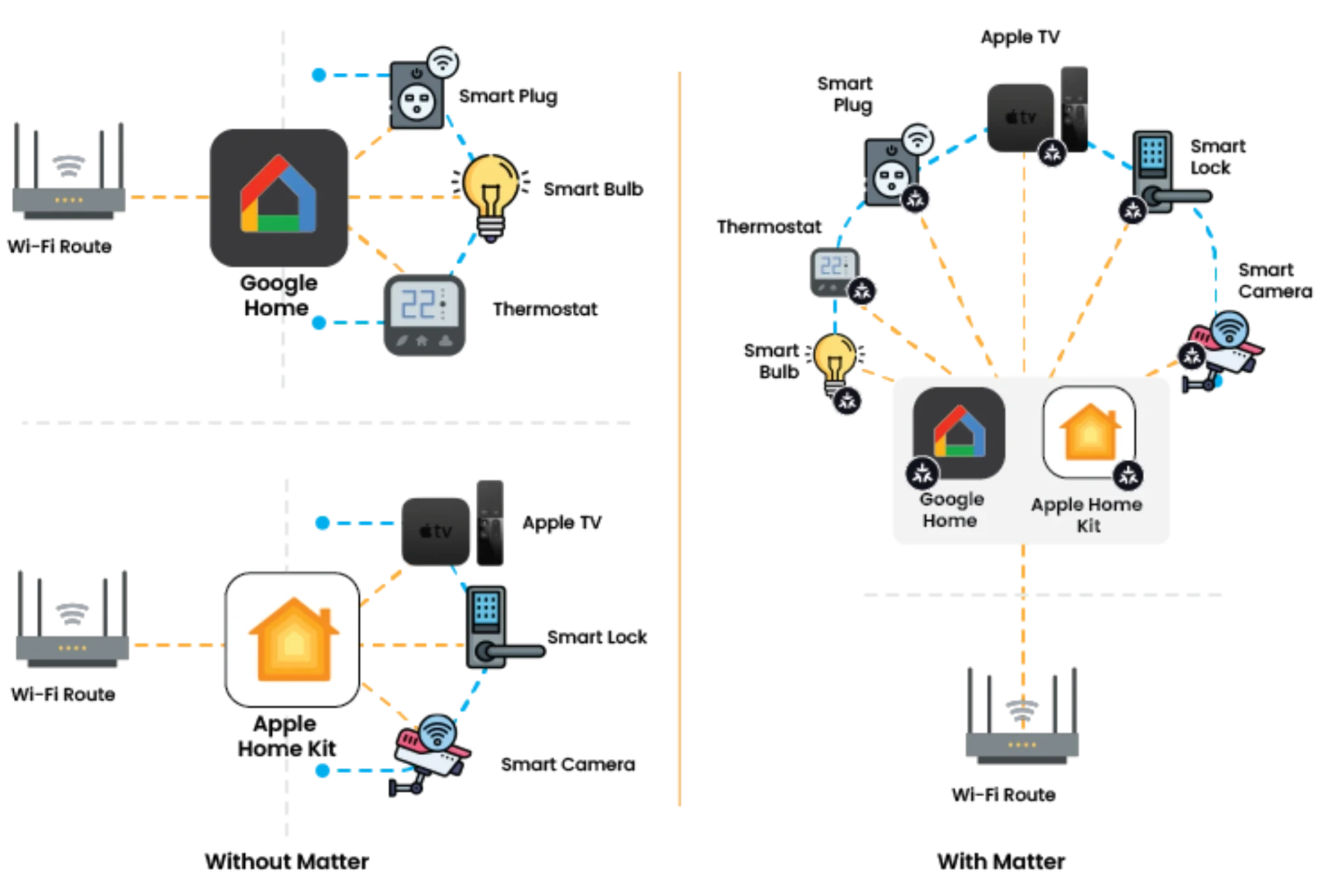 Matter is a connectivity standard — not a wireless protocol. It defines a common language that smart home devices use to communicate with apps and voice assistants, regardless of manufacturer.
Before Matter, buying a smart bulb meant checking whether it worked with Alexa, Google Home, or Apple Home. Some devices supported all three, many did not. You were locked into whatever ecosystem your first devices supported.
Matter eliminates that friction. A Matter-certified device works with all three major platforms out of the box. No more checking compatibility lists before every purchase.
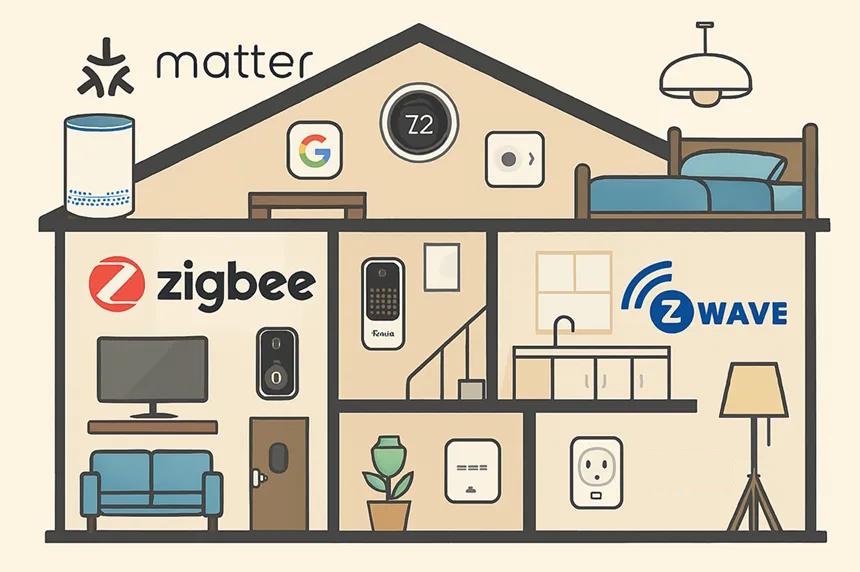
For a broader look at how Matter fits alongside Wi-Fi, Zigbee, Z-Wave, and Thread, see our smart home protocols guide.
What Matter Changes for Buyers
The practical impact comes down to three things:
- Buy once, use anywhere. A Matter light bulb works with Alexa, Google Home, and Apple Home. If you switch ecosystems later, your devices come with you.
- Multi-admin support. One device can be controlled by multiple platforms simultaneously. Your household can use Alexa in the kitchen and Apple Home in the bedroom — same devices, different apps.
- Simpler setup. Matter devices use a standardized pairing process. Scan a QR code, and the device joins your network. No downloading a brand-specific app first (though manufacturers still offer their own apps for advanced features).
These are genuine improvements. But they come with caveats.
How Matter Setup Works in Practice
The setup experience for Matter devices follows a consistent pattern:
- Power on the device
- Open your preferred smart home app (Alexa, Google Home, Apple Home)
- Scan the Matter QR code on the device or its packaging
- The app discovers and adds the device to your network
This is noticeably smoother than the old process, which often involved downloading the manufacturer’s app, creating an account, pairing the device there, and then linking to your ecosystem through a separate integration step.
That said, you will still want the manufacturer’s app for firmware updates and any advanced settings that go beyond what Matter currently supports. Matter handles basic controls well — on/off, brightness, color temperature — but brand-specific features often require the brand’s own app.
Which Devices Support Matter
Matter device support has expanded significantly since the standard launched, but coverage is uneven across categories.
Strong Support (wide selection available)
- Smart plugs and switches — The most mature category. Options from TP-Link, Meross, Eve, and others.
- Lighting — Bulbs, light strips, and switches from Nanoleaf, Philips Hue (via bridge update), IKEA, and others.
- Sensors — Temperature, motion, and contact sensors from Eve, Aqara, and others.
Growing Support
- Locks — Yale, Schlage, and others have Matter-enabled models.
- Thermostats — Options from Ecobee and others, though selection is still limited.
- Blinds and shades — A few options from Lutron and Eve.
Limited or In Progress
- Cameras — Matter support for cameras was added in a later specification update. Real product availability is still thin.
- Robot vacuums — Specification support exists, but few consumer products have shipped with Matter.
- Appliances — Washing machines, ovens, and similar appliances are largely still outside Matter’s practical reach.
Real Products to Start With
If you want to test Matter without a big investment:
- The Amazon Echo Dot Max acts as a Matter controller and Thread border router. If you already have one, you have a Matter-ready hub.
- The TP-Link Tapo P125M is a compact Matter-enabled smart plug. Good for testing the setup process and basic automations.
- The Nanoleaf Essentials A19 is a Matter-over-Thread bulb with color and white tuning. One of the earliest and most reliable Matter lighting options.
These three devices cover the basics — a controller, a plug, and a bulb — and give you a clear picture of what the Matter experience looks like today.
Current Limitations (Be Honest About These)
Matter is genuinely useful, but the current reality has gaps:
- Feature parity is not there yet. Matter supports basic device controls. Advanced features — like Philips Hue’s dynamic scenes or detailed energy monitoring on smart plugs — often require the manufacturer’s own app. You get cross-platform basics, not cross-platform everything.
- Not all “Matter compatible” means the same thing. Some devices support Matter over Wi-Fi, others over Thread. Thread devices need a Thread border router (built into newer Echo, HomePod, and Nest devices). Check what transport your device uses.
- Ecosystem differences still exist. A Matter light works in all three ecosystems, but the automation capabilities differ. Apple Home automations, Google Home routines, and Alexa routines each have their own strengths and limitations. Matter does not unify the software experience — just the device compatibility.
- Firmware updates vary. Some manufacturers push Matter firmware updates regularly. Others have been slow. The consistency that Matter promises at the protocol level does not always extend to ongoing software support.
- Device type coverage is incomplete. If you need cameras, robot vacuums, or appliances, Matter is not yet a meaningful factor in your buying decision.
Matter vs. Just Using One Ecosystem
| Factor | Matter approach | Single-ecosystem approach |
|---|---|---|
| Device flexibility | High — works across platforms | Lower — tied to one platform |
| Setup simplicity | Standardized QR code pairing | Varies by manufacturer |
| Advanced features | Basic controls only | Full feature access via native app |
| Automation depth | Depends on chosen platform | Full platform-specific automations |
| Future-proofing | Strong — switch ecosystems freely | Moderate — devices may not transfer |
| Device selection | Growing but still narrower | Widest selection for Alexa/Google |
For most people, the answer is not either/or. Use Matter-compatible devices where available, and do not avoid a great non-Matter device just because it lacks the label.
Should You Only Buy Matter Devices?
No. That would be impractical in 2026 and unnecessarily limiting.
Here is a more balanced approach:
- Prefer Matter when the options are comparable. If two smart plugs are similar in price and features, pick the one with Matter support. It gives you more flexibility at no extra cost.
- Do not skip great devices just because they lack Matter. Some of the best smart home products — certain cameras, robot vacuums, and specialized sensors — do not support Matter yet. Skipping them means missing real functionality for theoretical future flexibility.
- Prioritize Matter for devices you might want to share across ecosystems. Lights and plugs that every household member interacts with benefit most from multi-admin support. A garage door sensor that only feeds into one automation platform benefits less.
- Check whether your existing hub supports Matter. If you already own an Echo, HomePod, Nest Hub, or SmartThings hub, check whether your model supports Matter. Many newer models do, which means you can start adding Matter devices without new hardware.
The goal is practical flexibility, not ideological purity. Matter is a tool, not a religion.
Where Matter Is Headed
The Connectivity Standards Alliance (CSA), which manages the Matter specification, continues adding device categories and features. Cameras, energy management devices, and major appliances are on the roadmap. Each specification update expands what Matter can control.
The more important signal is manufacturer adoption. When companies like Apple, Google, Amazon, Samsung, and IKEA all commit to the same standard, it tends to stick. Matter has broader industry backing than any previous smart home interoperability attempt.
That said, “on the roadmap” is not the same as “available today.” Buy based on what works now, not promises about future updates.
The Bottom Line
Matter solves the biggest frustration in smart home shopping: compatibility anxiety. A Matter device works with Alexa, Google Home, and Apple Home without research, workarounds, or compromise.
But Matter is not finished. Device category coverage is incomplete, advanced features still require manufacturer apps, and the experience differs slightly across ecosystems.
Practical advice: When buying new devices, check for Matter support and prefer it when the price and features are comparable. Do not overhaul your existing setup — expand into Matter gradually as you add or replace devices. And when a non-Matter device is clearly the better product, buy it anyway.
For help choosing between ecosystems, see our Alexa vs Google Home vs Apple Home comparison. For a broader look at all smart home communication protocols, see our protocols guide.
Frequently Asked Questions
Do I need to replace all my existing smart home devices for Matter?
Does Matter work with Alexa, Google Home, and Apple Home?
Is Matter the same as Thread?
What types of devices support Matter right now?
Recommended Posts
Smart Home Protocols: Wi-Fi, Zigbee, Z-Wave, Thread, and Matter Explained
A beginner-friendly breakdown of how smart home devices communicate — what each protocol does, when you need a hub, and why Matter changes everything.
Matter vs Zigbee vs Z-Wave vs Wi-Fi vs Thread: Smart Home Protocols Compared
A detailed comparison of Zigbee, Z-Wave, Wi-Fi, and Thread — covering range, battery life, hub needs, and ecosystem fit to help you pick the right protocol.
Do You Need a Smart Home Hub? When to Use One and When to Skip It
Find out whether you need a smart home hub in 2026, when Wi-Fi or Matter is enough, and when Zigbee, Z-Wave, Thread, or local automations require extra hardware.