 Smart Home Forge

Smart Home on a Budget: Complete Setups for Under $100, $250, and $500
Three practical smart home setups at three price points — each one a complete, functional system that solves real problems, not a random list of cheap gadgets.
The most common smart home mistake is spending too much too early on devices that don’t work together or solve real problems. A well-chosen $100 setup that works reliably beats a $500 collection of impulse purchases that half-cooperate.
This guide builds three complete smart home setups at three budget tiers. Each tier is designed as a functional system — not a wish list of disconnected gadgets. Every device earns its spot by solving a specific daily problem, and each tier builds on the one before it.
Before You Buy: Rules for Smart Spending
A few principles that apply at every budget level:
- Pick one ecosystem first — Alexa, Google Home, or Apple Home. Mixing ecosystems creates friction. At the budget level, Alexa and Google offer the cheapest entry points.
- Buy during sales — Amazon Prime Day, Black Friday, and holiday sales routinely cut smart home prices by 30–50%. An Echo Dot that retails for $50 regularly drops to $22–25 during sales. If you can wait, your budget goes further.
- Check for Matter support — Devices with Matter compatibility work across ecosystems and are less likely to become obsolete. Many budget devices now include it at no price premium.
- Avoid subscriptions at this stage — Some devices (especially cameras and doorbells) require monthly plans for full functionality. At the budget level, prioritize devices that work fully without ongoing fees.
- Don’t buy what you won’t use daily — A $15 smart plug you use every morning is a better purchase than a $60 sensor you check once a month.
Tier 1: Under $100 — The Essentials
What you get: Voice control, basic lighting automation, and remote power management. This is enough to feel the daily convenience of a smart home without committing to a larger system.
The Setup
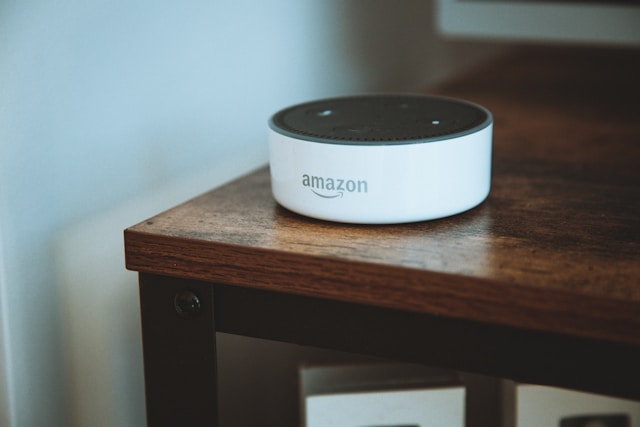
Amazon Echo Dot (5th Gen)
Your voice controller and ecosystem hub. Handles timers, alarms, music, weather, and commands to all your other devices. Google Nest Mini ($25–50) is an equally good alternative for Android households.
- Voice controller for your entire setup
- Built-in Zigbee hub and Thread border router
- Drops to $22 on sale — best value entry point
- Sound quality limited for music
- Alexa app can feel cluttered
- 2–3 smart bulbs — TP-Link Tapo Smart Bulb, IKEA TRÅDFRI (Wi-Fi), or Wyze Bulb ($8–15 each). Put them in the rooms you use most — living room, bedroom, hallway. You get voice control, scheduling, and dimming. Choose warm-white dimmable bulbs unless you specifically want color.
- 1 smart plug — TP-Link Kasa or Meross ($10–15). Put it on your most-used “dumb” device: a coffee maker, fan, or desk lamp. Schedule it, control it by voice, or turn it off remotely.
Estimated Cost: $60–95
What You Can Do
- “Alexa, turn off the bedroom light” — from bed, no reaching for a switch
- Coffee maker turns on automatically at 6:30 AM via a smart plug schedule
- All lights turn off at 11 PM on a schedule
- “Hey Google, dim the living room to 30%” — instant mood lighting
- Set timers and alarms by voice while your hands are full
What This Doesn’t Cover
No security, no sensors, no cameras, no thermostat control. This tier is purely about daily convenience — it makes your existing routine slightly better without trying to monitor or protect anything.
Tier 2: Under $250 — Convenience + Security
What you get: Everything in Tier 1, plus front door security, basic home monitoring, and energy awareness. This is where a smart home starts feeling like a system rather than a few connected gadgets.
The Setup (adds to Tier 1)
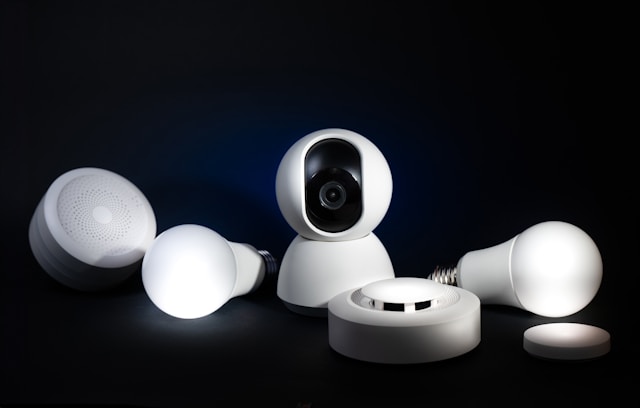
August Wi-Fi Smart Lock
The most popular retrofit smart lock. Installs in 10 minutes over your existing deadbolt, and removes in 2. Keyless entry, remote lock checks, and temporary guest codes — all without modifying your door.
- Fits over existing deadbolt — no drilling
- Renter-friendly and fully reversible
- Keyless entry, auto-lock, and guest access codes
- Battery needs replacement every 3–6 months
- Wi-Fi connection can occasionally drop
- Video doorbell (battery) — A battery-powered model like the Ring Battery Doorbell avoids wiring and works for renters. Look for models with free local storage or free cloud tiers to avoid subscription costs. Expect to pay $60–100. Check whether the model requires a subscription for basic features like motion zones and video history — some do, some don’t.
- 1–2 contact sensors — Aqara Door and Window Sensor or Samsung SmartThings ($10–15 each). Place one on the front door and one on a window or back door. Get alerts when doors open or close. Useful for automations like “if front door opens after midnight, send notification.”
- 1 smart plug with energy monitoring — Upgrade one of your plugs to a model with energy tracking ($15–20). Put it on your highest-draw device (space heater, window AC, entertainment center) to see actual power consumption.
Estimated Cost: $200–250 (including Tier 1 devices)
What You Can Do
Everything in Tier 1, plus:
- See who’s at the front door from your phone, anywhere
- Lock and unlock the door remotely — no more hiding spare keys
- Create guest access codes for visitors, cleaners, or dog walkers that expire automatically
- Get an alert if the front door opens while you’re at work
- “Goodnight” routine: voice command locks the door, turns off all lights, and checks that the door sensor shows “closed”
- Track how much electricity your space heater or TV setup actually uses
What This Doesn’t Cover
No indoor cameras, no thermostat control, no whole-home sensor coverage, no advanced automations. You have awareness and access at the front door, but the interior of your home is still mostly unmonitored.
Tier 3: Under $500 — A Complete Smart Home
What you get: A genuinely comprehensive setup covering lighting, security, climate, energy monitoring, and multi-room automation. At this budget, your smart home works as an integrated system — rooms talk to each other, and automations run across the house.
The Setup (adds to Tier 2)
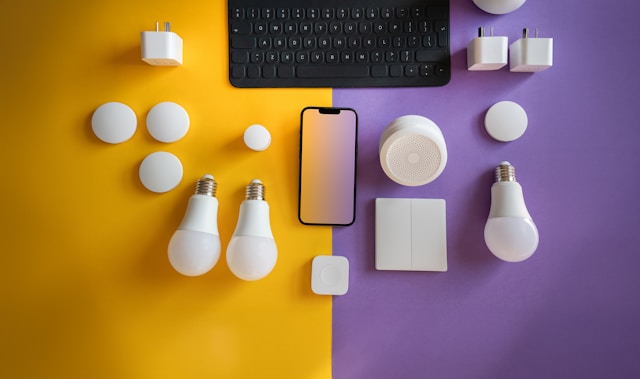
Amazon Smart Thermostat
The budget-friendly smart thermostat for Alexa households. Programmable schedules, remote control, and energy reports. The Google Nest Thermostat ($100–130) is the alternative for Google Home users. Check HVAC compatibility and C-wire availability before buying.
- Most affordable smart thermostat
- Programmable schedules and remote control
- Can pay for itself in energy savings within 1–2 years
- Requires compatible HVAC system and C-wire
- Fewer features than Nest or Ecobee
- 2–3 more smart bulbs or 1–2 smart switches — Expand lighting coverage to the kitchen, hallway, and bathroom. If you own your home and have neutral wires available, a smart switch ($20–35) is more permanent and lets anyone use the physical switch normally. If you rent, stick with bulbs.
- Indoor camera (no subscription) — A camera with local storage like the TP-Link Tapo C120, Eufy, or Reolink ($30–50). Place it covering a main living area or entryway interior. Local storage on a microSD card means no monthly cloud fee.
- Water leak sensor — Aqara Water Leak Sensor or YoLink ($12–15). Place under the kitchen sink, near the water heater, or by the washing machine. A $15 sensor that catches a leak before it becomes a $5,000 repair is one of the highest-ROI smart home devices you can buy.
- Motion sensor — Aqara Motion and Light Sensor P2 or Hue ($15–25). Place in a hallway or bathroom. Automate lights to turn on when you walk in and off when the room is empty. Especially useful for nighttime bathroom trips — dim, warm light triggered by motion at 2 AM is far better than fumbling for a switch.
- Smart plug (additional) — One or two more plugs for the bedroom, office, or kitchen ($10–15 each). Cover the remaining rooms where you want voice control or scheduling.
Estimated Cost: $400–500 (including Tier 1 and Tier 2 devices)
What You Can Do
Everything in Tiers 1 and 2, plus:
- Thermostat drops to eco mode when everyone leaves, returns to comfort when you’re heading home
- Hallway lights turn on automatically at night when motion is detected, turn off after 3 minutes of no movement
- Indoor camera records motion events to local storage — check in on your home from anywhere without a monthly fee
- Water leak alert goes to your phone immediately if a sensor detects moisture
- “Leaving home” routine: locks front door, sets thermostat to eco, turns off all lights, arms motion sensor
- “Good morning” routine: thermostat warms up, bedroom light turns on gently, coffee maker starts, weather briefing plays
- Track monthly energy usage across monitored devices
What You Might Add Later
At this point, your core system is solid. Future additions are about filling gaps and expanding coverage, not building the foundation:
- Outdoor camera — Extend security beyond the front door
- More sensors — Additional motion, contact, and temperature sensors for granular automation
- Smart blinds — Automate window coverings with lighting and thermostat routines
- Robot vacuum — Automated daily floor cleaning
- Whole-home energy monitor — Devices like Emporia Vue track total household electricity usage, not just individual plugs
- Home Assistant — If you outgrow Alexa or Google Home’s automation capabilities, a dedicated hub opens up far more advanced possibilities
Making Your Budget Go Further
A few strategies that stretch every tier:
- Refurbished and renewed devices — Amazon, Best Buy, and manufacturers sell certified refurbished smart speakers, cameras, and doorbells at 20–40% off. These typically include the same warranty as new devices.
- Multipacks — Smart bulbs and plugs are almost always cheaper in multi-packs (3 or 4 units) than individually.
- Start with Wi-Fi devices — Wi-Fi smart devices connect directly to your router and don’t need a separate hub. Zigbee and Z-Wave devices are excellent but require a hub ($30–80), which eats into a tight budget. Start with Wi-Fi, and consider adding a hub later if you expand to 20+ devices or want battery-powered sensors with long life.
- Skip the brand loyalty tax — A $15 TP-Link Kasa plug does the same job as a $30 name-brand equivalent for most people. At the budget level, prioritize function and ecosystem compatibility over brand prestige.
- Don’t buy cameras with mandatory subscriptions — A $40 camera with a $5/month plan costs $100/year in subscriptions. A $60 camera with local storage costs $60 total. Do the math over two years before choosing.
Which Tier Should You Start With?
- Tier 1 ($100) if you’ve never used a smart home device and want to test whether voice control and automation actually fit your routine before spending more.
- Tier 2 ($250) if you already know you want smart home convenience and want front door security included from the start. This is the sweet spot for most people.
- Tier 3 ($500) if you’re ready to commit to a whole-home system and want climate control, sensors, and cameras alongside lighting and security. Best if you own your home or plan to stay in your rental for a while.
Regardless of tier, the same principle applies: buy devices that solve problems you actually have, not problems you think you might have someday. A $100 setup that runs reliably and gets used daily is a better investment than a $500 setup where half the devices sit in a drawer.
Frequently Asked Questions
What is the cheapest way to start a smart home?
Are cheap smart home devices reliable?
Do I need to spend more for Matter compatibility?
What's the best budget ecosystem to start with?
Should I wait for sales to buy smart home devices?
Recommended Posts
Do You Need a Smart Home Hub? When to Use One and When to Skip It
Find out whether you need a smart home hub in 2026, when Wi-Fi or Matter is enough, and when Zigbee, Z-Wave, Thread, or local automations require extra hardware.
Smart Home for Renters: Best Devices That Don't Require Wiring or Drilling
Build a smart home in a rental — which devices need no permanent changes, how to handle lease restrictions, and what to take when you move.
How to Plan Your Smart Home: A Room-by-Room Strategy Guide
A practical room-by-room approach to planning your smart home — what to prioritize in each space, which devices actually matter, and how to avoid buying things you won't use.